Registering a Singleton object to use “Static” methods in QML
The notion of static methods that are used in QML differs somewhat from the classical one in C ++, when static methods are created in the class that can be used referring to the class name, rather than to a specific object. In the case of QML, things are somewhat different. In order to use such methods in QML, which are present in the C ++ class, it is necessary to register a Singleton object that will provide the required methods, and these methods should no longer be static in themselves. They should at least be labeled with the Q_INVOKABLE macro so that they can be used in QML.
To register Singleton , you need to use the qmlRegisterSingletonType function, which in addition to the standard parameters that are passed to qmlRegisterType, you must also pass the static singletonProvider function, which you also write yourself.
Project structure
Create a Qt Quick project that will contain the following files:
SingletonQMLCpp.pro – Project profile
main.cpp – File with main function
main.qml – Main qml file
singletonclass.h – Singleton header file
singletonclass.cpp – Singleton source file
The project profile will be created by default and will not be changed.
main.cpp
Let’s start with the file main.cpp, in which we will register the object of the future singleton.
#include <QGuiApplication>
#include <QQmlApplicationEngine>
#include <QtQml> // We connect to use qmlRegisterSingletonType
#include "singletonclass.h" // We connect the header file SingletonClass
int main(int argc, char *argv[])
{
QGuiApplication app(argc, argv);
// Register the singleton object through the function singletonProvider, that is, we pass the pointer to it as an argument.
qmlRegisterSingletonType<SingletonClass>("SingletonClass", 1, 0, "SingletonClass", singletonProvider);
QQmlApplicationEngine engine;
engine.load(QUrl(QStringLiteral("qrc:/main.qml")));
if (engine.rootObjects().isEmpty())
return -1;
return app.exec();
}singletonclass.h
In the header file, define enum, which we will use to get certain messages through the “static” getMessage method in the QML layer. In the same file, we define the static function singletonProvider , which will create a singleton instance.
Note that getMessage does not have to be static to act as a static Type method in QML.
singletonclass.cpp
This file provides the implementation of the getMessage method.
main.qml
And now let’s use this singleton type in QML.
Conclusion
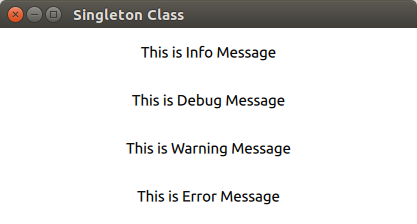
As a result, an application will be received that will display four messages in its window.

Thus, through the singleton object in QML, the ability to use cpp methods as static is added.
Last updated
Was this helpful?